

In your daily work and studies, do you often find yourself dealing with scattered notes across multiple apps, difficulty tracking project progress, disorganized team resources, or spending too much time searching for important information?
Notion is an all-in-one workspace designed to solve these challenges.
It brings notes, documents, databases, project management, and team knowledge together on a single platform, helping individuals and teams manage information, organize tasks, and collaborate more efficiently.
With Notion Plus, users can enjoy a more comprehensive workspace designed to support both personal productivity and team workflows. Whether you want to organize daily notes, manage projects, or build a company knowledge base, Notion helps you create a more structured and efficient working environment.
In this article, we'll explore Notion's core features, the key benefits of Notion Plus, service pricing, and how you can get a better deal using an NFXBUS discount code.
1. What Is Notion? Redefining the Personal and Team Workspace
Notion is a productivity platform that combines note-taking, document creation, databases, and project management in one place.
Unlike traditional note-taking apps, Notion does more than simply record information and organize documents. With databases, templates, and multiple views, users can turn scattered information into a fully integrated productivity system.
You can create different workspaces based on your needs, bringing project materials, task lists, meeting notes, and team knowledge together in one centralized location.
Key Use Cases for Notion:
-
Personal Note-Taking: Organize study materials, work notes, and everyday ideas.
-
Project Management: Plan project timelines, assign tasks, and track progress.
-
Team Collaboration: Share documents, manage team resources, and coordinate workflows.
-
Knowledge Base Management: Build company knowledge bases, operation manuals, and internal resource centers.
-
Task Management: Create to-do lists, establish workflows, and monitor task progress.
One of Notion's greatest strengths is its flexibility. Rather than forcing users to follow a fixed structure, it allows them to combine pages, databases, and templates to build a workspace that fits their specific needs.
2. Core Features and Benefits of Notion
1. All-in-One Workspace: Bring Notes, Documents, and Project Management Together
Notion brings different types of work content together in a single workspace.
You can create work documents, record meeting notes, organize project materials, and connect related pages to build a comprehensive information management system.
For example:
-
Create a personal dashboard to manage daily tasks in one place.
-
Build a project database to track progress and assign responsibilities.
-
Create team documents to centralize workflows and operating guidelines.
-
Organize meeting minutes so team members can access them whenever needed.
By bringing everything together on one platform, Notion reduces the need to constantly switch between different applications and helps keep your work more organized.
2. Powerful Databases: Manage Information Your Way
Notion's database functionality is one of its most distinctive features.
Users can organize the same set of data in different formats depending on their needs, including:
-
Table View: Ideal for managing lists and structured information.
-
Board View: Perfect for task management and tracking project progress.
-
Calendar View: Useful for scheduling work and managing deadlines.
-
Gallery View: Great for displaying images, content, and project cards.
For example, when managing a project, you can use a table to view all tasks, a board to monitor their current status, and a calendar to keep track of important deadlines.
A single database can support multiple ways of viewing information, reducing the need to organize the same data repeatedly.
3. Team Collaboration: Make Communication and Coordination Easier
Notion is not just a personal productivity tool. It can also serve as a collaborative workspace for teams.
Team members can work together on shared pages, communicate through comments and mentions, and manage access permissions to keep information organized and accessible.
Key collaboration features include:
-
Comments and Discussions: Communicate directly within specific documents or tasks.
-
Member Mentions: Notify relevant team members and improve communication efficiency.
-
Page Permissions: Manage access based on team roles and individual responsibilities.
-
Shared Templates: Use standardized templates to reduce repetitive document creation.
For teams that need to manage projects, organize resources, and track tasks together, Notion provides a more unified collaboration environment.
4. Templates: Build Your Own Productivity System Faster
From personal task management to enterprise-level project planning, Notion offers flexible pages and templates for a wide range of use cases.
Users can quickly create commonly used workspace structures, such as:
-
Daily Work Planners
-
Project Progress Trackers
-
Meeting Notes
-
Content Calendars
-
Customer Management Systems
-
Team Knowledge Bases
Templates save time by eliminating the need to build pages and databases from scratch, allowing users to focus on their actual work.
5. Notion Plus: More Features for Your Workspace
For users who rely on Notion to manage information and collaborate regularly, Notion Plus is a service plan worth considering.
Notion Plus is designed to support more extensive note-taking, document management, and team knowledge-sharing needs.
Depending on the service plan and account configuration, users may have access to features such as enhanced collaboration options, file uploads, page history, and guest management.
It's important to note that Notion AI is not automatically included with all Plus services with full AI benefits. Available AI features and usage limits depend on the specific service plan.
3. Is Notion Plus Worth the Service?
If you only use Notion occasionally to take simple notes, the free plan may already meet your basic needs.
However, if you regularly manage large amounts of documentation, build databases, plan projects, or share work resources with team members, a paid service may be a better fit.
The main value of Notion Plus lies in its ability to help users build a more comprehensive workspace by bringing information management, task planning, and team collaboration together on one platform.
Notion Plus is particularly suitable for the following users:
-
Students: Organize class notes, study materials, and exam schedules.
-
Professionals: Manage work tasks, meeting notes, and project timelines.
-
Freelancers: Plan client projects and organize work schedules.
-
Content Creators: Manage content ideas, editorial calendars, and creative assets.
-
Business Teams: Build shared knowledge bases, manage internal documents, and streamline collaboration workflows.
If you want to reduce the need to switch between multiple tools and build a well-organized information management system for long-term use, Notion Plus is worth considering.
4. Notion Plus Pricing and Discount Guide on NFXBUS
If you're looking for a more affordable way to purchase to Notion Plus, NFXBUS is worth checking out.
NFXBUS offers Notion-related service services, allowing users to choose from different service periods based on their needs.
Currently, three service options are available: 3 months, 6 months, and 12 months. Users can also enjoy an additional 10% discount by applying the promotional code.
Notion Plus Service Pricing
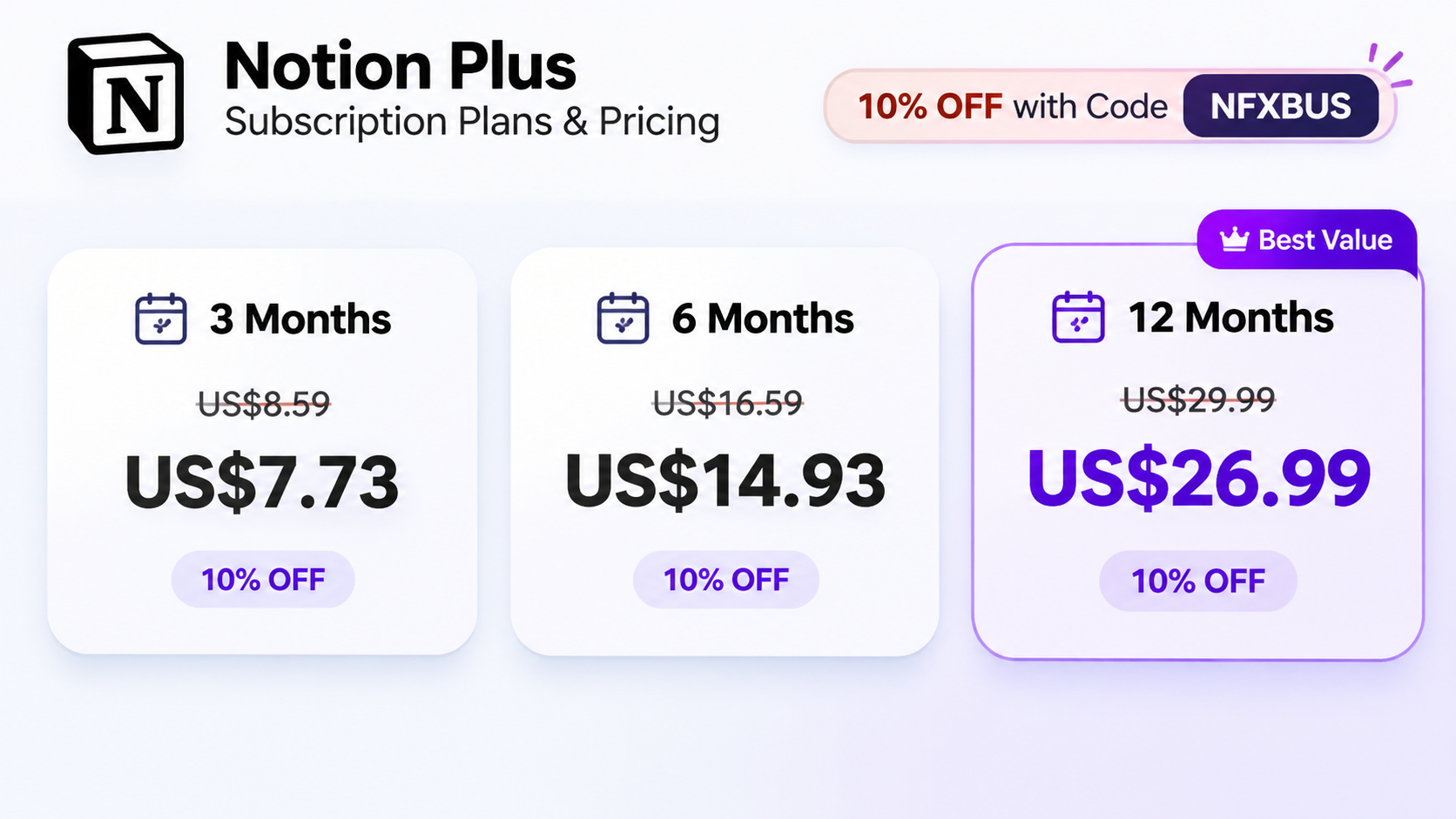
| Service Period | Original Price | Price After 10% Discount |
|---|---|---|
| 3 Months | US$8.59 | US$7.73 |
| 6 Months | US$16.59 | US$14.93 |
| 12 Months | US$29.99 | US$26.99 |
Longer Service Periods Are Ideal for Regular Notion Users
If you plan to use Notion continuously to manage your work and personal information, the 12-month plan may be worth considering.
With the discount code applied, the 12-month service costs just US$26.99, which works out to approximately US$2.25 per month.
For users who need a long-term solution for managing notes, documents, and projects, the annual plan offers an attractive price advantage.
Why Choose NFXBUS?
NFXBUS offers service services for a variety of digital tools. By purchasing a Notion plan through NFXBUS, users can enjoy the following benefits:
-
Flexible Service Options: Choose from 3-month, 6-month, and 12-month plans.
-
One-Time Payment: Pay once for your selected service period. The service does not automatically renew, so you won't be charged recurring service fees.
-
Exclusive Discount: Enter the promo code NFXBUS to receive an additional 10% off.
-
Customer Support: Contact the website's customer service team for assistance with orders and usage-related questions.
How to Purchase Notion Plus: 4 Simple Steps
-
Visit the Product Page: Go to the NFXBUS website and find the Notion product page.
-
Choose Your Service Plan: Select the 3-month, 6-month, or 12-month plan that best suits your needs.
-
Apply the Discount Code: Enter NFXBUS in the discount code field at checkout.
-
Complete Your Payment: Check that the discount has been successfully applied, then confirm your order and complete the payment.
NFXBUS Sitewide Discount Code
You can also use the following promotional code to receive a discount on products and services across the NFXBUS website:
-
Promo Code: NFXBUS
-
Discount: 10% OFF
-
Applicable Products: All products and services available on the NFXBUS website.
Whether you're purchasing Notion Plus or other AI tools and digital services, you can use this promotional code to enjoy additional savings.
5. Final Thoughts: Build a More Productive Workflow with Notion Plus
Notion is much more than a note-taking app. It is an all-in-one workspace that brings together document management, databases, project planning, and team collaboration.
From personal knowledge management to team project coordination, and from simple task lists to enterprise knowledge bases, Notion offers flexible tools and workflows that help users build a more organized and efficient information management system.
If you want to centralize your work resources, improve project management, and reduce repetitive tasks in your daily workflow, Notion is definitely worth exploring.
If you're planning to use Notion Plus long-term, you can also consider choosing a service plan through NFXBUS to find an option that suits your needs.
Use the exclusive NFXBUS discount code NFXBUS today to enjoy 10% OFF across the entire NFXBUS website and start building a more productive Notion workspace at a better price!