
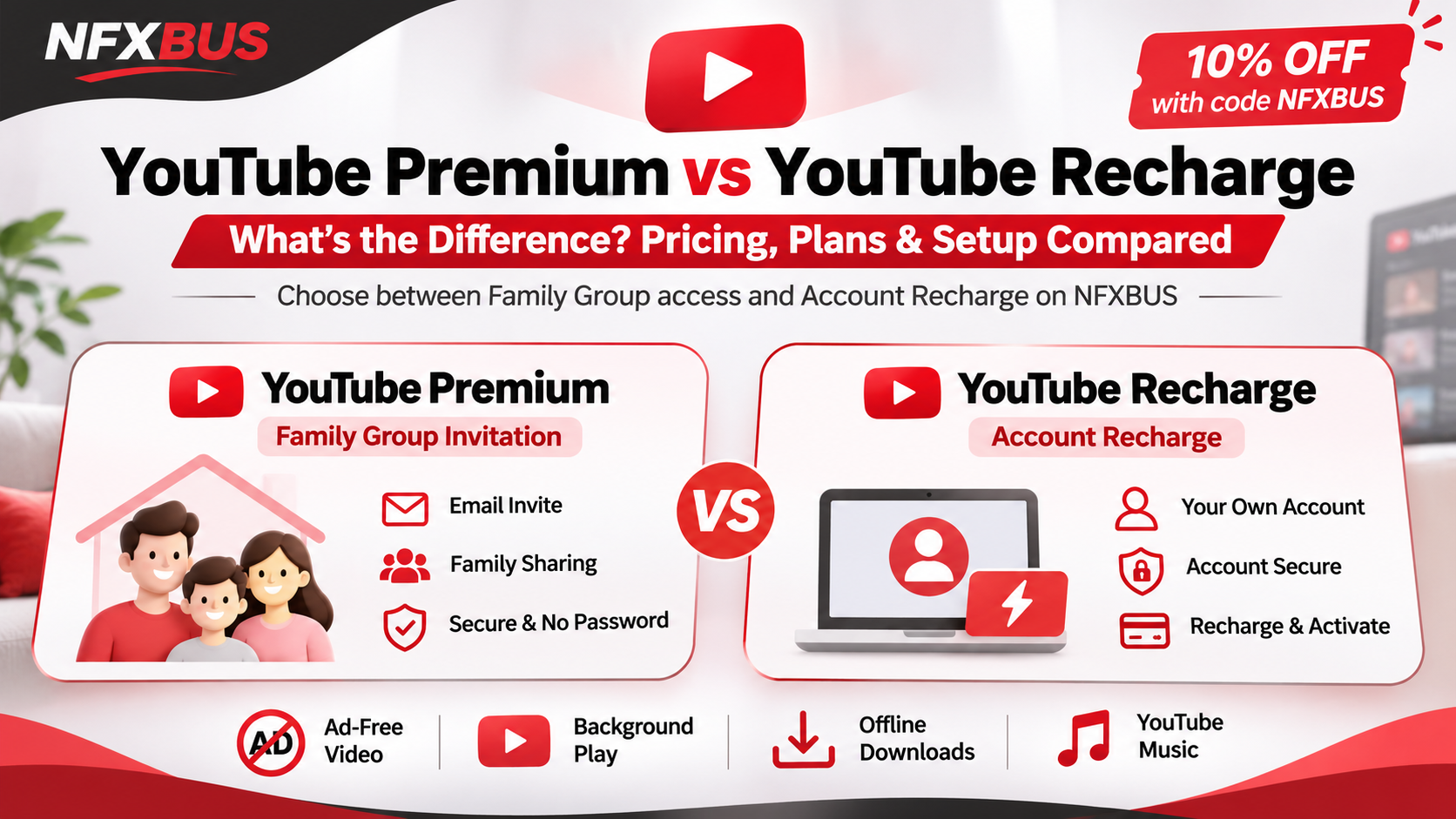
Want to purchase to YouTube Premium but aren't sure whether to choose the YouTube Premium Family Group service or the YouTube Recharge account top-up service?
At NFXBUS, we offer two different YouTube membership options. Both allow you to unlock Premium benefits on your own YouTube account, including ad-free viewing, background playback, offline downloads, and YouTube Music Premium.
However, they differ significantly in activation methods, required account information, service durations, and pricing.
This article explains the features, purchasing processes, and plan prices of both options to help you choose the one that best suits your needs.
1. What Is YouTube Premium?
YouTube Premium is YouTube's paid service service that reduces interruptions from video ads, supports background playback with your screen locked, and allows offline video downloads. It also includes YouTube Music Premium, offering ad-free music streaming, background listening, and offline downloads.
In addition to official service channels, NFXBUS offers two activation methods: joining through a family group invitation and activating Premium through an account top-up.
Below, we'll explain how each service works.
2. YouTube Premium | Family Group Invitation Slot
NFXBUS YouTube Premium uses a family group invitation model.
You don't need to provide your Google account password. Simply submit your Google email address, receive and accept a family group invitation, and start enjoying Premium benefits once the relevant eligibility requirements are met.
The entire process does not require sharing your account or creating a new Google account.
✅ Activation Steps
-
Select a YouTube Premium plan on NFXBUS and complete your purchase.
-
Go to the "My Services" page on the official website and locate your order card.
-
Enter the Google email address you want to add to the family group. No password or verification code is required.
-
Check your email for the Google family group invitation and accept it.
-
Once you've successfully joined, you can start enjoying YouTube Premium benefits.
✅ Plan Features
-
No Account Password Required: Join through an email invitation, reducing the amount of account information you need to provide.
-
Keep Your Existing Account Content: Continue using your own Google account while retaining your channel services, watch history, and saved content.
-
Enjoy Premium Benefits Independently: Each slot is for one person, allowing you to watch videos and listen to music using your own account.
-
No Family Group Management Required: You won't have family group management permissions and cannot invite additional members yourself.
Note:
YouTube family groups have household residency and country or region eligibility requirements. Please make sure your account meets these conditions before placing an order.
If you prefer not to share your account login information with a third party and meet the family group eligibility requirements, this option may be more suitable for you.
3. YouTube Recharge | Activate Premium on Your Existing Account
YouTube Recharge does not require joining a family group. Instead, it activates Premium on an eligible existing Google account through an account top-up service.
NFXBUS offers a 3-month short-term plan and a 12-month long-term plan consisting of multiple 3-month top-ups.
✅ Activation Steps
-
Select a YouTube Recharge plan on NFXBUS and complete your purchase.
-
Open "My Services" and locate the corresponding Recharge order card.
-
Follow the instructions on the page to submit your Google email address, account password, and two different 8-digit backup login codes.
-
After submitting your information, the staff will process the top-up according to the order procedure.
-
Once the top-up is complete, you can immediately change your Google account password and review your signed-in devices and account security settings.
✅ Plan Features
-
No Family Group Required: You don't need a family group invitation or to meet the family group household residency requirement. However, your account must still meet the country or region restrictions and other eligibility requirements of the recharge service.
-
Keep Your Existing Google Account: Your watch history, channel services, and playlists will remain on your original account after the top-up.
-
Flexible Service Durations: Choose a 3-month plan or a 12-month long-term plan.
-
Change Your Password After Recharge: Once the top-up is complete, you can immediately update your account password and review your account security settings.
Note:
Recharge requires you to provide your Google account login information and backup login codes. We recommend changing your password immediately after the recharge is completed and reviewing your account security settings.
Because backup login codes are sensitive authentication credentials, changing your password does not completely eliminate the security risks associated with sharing this information.
If you prefer not to provide login credentials, you may consider the family group option, which does not require a password, provided you meet the relevant eligibility requirements.
4. Comparison of the Two Plans

| Comparison | YouTube Premium | YouTube Recharge |
|---|---|---|
| Activation Method | Family Group Invitation | Account Top-Up |
| Join a Family Group | Yes | No |
| Google Email | Required | Required |
| Account Password | Not Required | Required |
| 8-Digit Backup Login Codes | Not Required | Two Codes Required |
| Use Existing Account | Yes | Yes |
| Keep Services & Playlists | Yes | Yes |
| Number of Users | One | One |
| Available Durations | 6 Months / 12 Months | 3 Months / 12 Months |
| Family Group Management Permissions | None | Not Applicable |
| Auto-Renewal | No | No |
Key Difference:
The family group option activates Premium through an invitation and does not require your account password, but you must meet YouTube's family group requirements. The Recharge option does not require joining a family group, but you must provide your account login information and meet the applicable recharge eligibility requirements.
Both plans are one-time purchases with no automatic recurring charges.
5. Plan Pricing Comparison
Enter the discount code NFXBUS at checkout to enjoy 10% off sitewide. The table below shows the original prices, discounted prices, and average monthly costs after the discount.

| Product | Plan Duration | Original Price | After 10% Discount | Monthly Average |
|---|---|---|---|---|
| YouTube Premium (Family Group) | 6 Months | US$27.59 | US$24.83 | US$4.14 |
| YouTube Premium (Family Group) | 12 Months | US$47.59 | US$42.83 | US$3.57 |
| YouTube Recharge | 3 Months | US$14.99 | US$13.49 | US$4.50 |
| YouTube Recharge | 12 Months | US$49.39 | US$44.45 | US$3.70 |
Important:
The YouTube Recharge 12-month plan consists of four separate 3-month top-ups rather than a single 12-month recharge.
Recharge offers a 3-month short-term plan for users who prefer a shorter service period, as well as a 12-month long-term option.
For long-term users, the YouTube Premium Family Group 12-month plan offers a lower average monthly cost after the discount.
The prices above are calculated based on the listed prices on NFXBUS and the 10% discount. Amounts are rounded to the nearest cent. Final prices are subject to those displayed at checkout.
✅ How to Use the Discount Code
-
Select your preferred service and plan on NFXBUS.
-
Proceed to the checkout page.
-
Find the "Discount Code" field.
-
Enter the promo code NFXBUS.
-
Click "Apply," confirm that the discount has been applied, and complete your payment.
Promo Code: NFXBUS | 10% OFF Sitewide
6. How to Choose the Right Plan
Both options provide YouTube Premium membership benefits. The main differences are their activation methods, account information requirements, and service durations.
✅ Choose YouTube Premium Family Group
If you:
-
Prefer not to provide your Google account password.
-
Have an account that meets YouTube's family group household residency and regional requirements.
-
Want a 6-month or 12-month service.
Then the YouTube Premium Family Group option may be suitable for you.
✅ Choose YouTube Recharge
If you:
-
Prefer an account top-up method that does not require joining a family group.
-
Have an account that meets the eligibility requirements for the Recharge service.
-
Want a 3-month short-term plan or a long-term plan consisting of multiple top-ups.
-
Understand and accept the requirements and risks associated with providing account login credentials.
Then you may consider the YouTube Recharge service.
Whichever option you choose, you can continue using your own Google account while keeping your existing playlists, watch history, and channel services.
Before purchasing, we recommend carefully reviewing the product description, account requirements, and refund policy.
7. Important Notice
NFXBUS is a third-party service platform and is not an official YouTube service channel. When using these services, you must comply with YouTube's account, service, and family sharing policies.
8. Start Your YouTube Premium Experience
Whether you choose to join through a family group invitation or recharge Premium on your existing account, NFXBUS provides clear product descriptions and service options with different durations.
Choose a service plan that meets your account's eligibility requirements, complete your purchase, and follow the corresponding activation process to start your membership.
Enjoy a smoother YouTube viewing experience and watch videos or listen to music whenever you want.
Don't forget to use the promo code NFXBUS at checkout to enjoy 10% OFF sitewide!